

The Outgoing > Log Search works in the same way as the Incoming Log Search but logs all outgoing messages over the past 32 days. This feature is available from the Admin Level, Domain level and Email level Control Panels, from Outgoing > Logs.
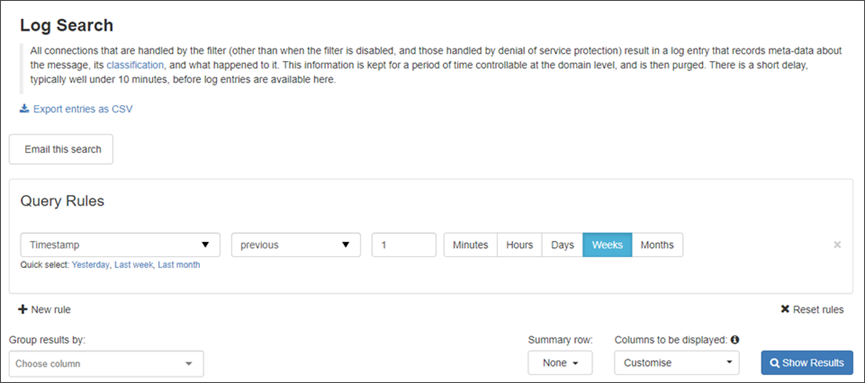
Using the Log Search you can:
- Perform powerful filtering to find the results you need including:
- Filtering on message size and the From, To and CC headers
- Filtering on the outgoing IP used for delivering or attempting to deliver the message and the location of the sending server (based on the IP address)
- Perform various actions on single or multiple messages.
- Customise available actions on specific messages.
- Regenerate the index to search all archived message content.
- Export archived messages.
- Create and email a report of your log search results (and schedule at a specified frequency).
Dropdown the page description at the top of the log search to display the Classifications side-bar which shows.


Actions Available on Log Search Results
In the Search Results listed you can carry out a variety of actions. These differ depending on the status of the message, and include but are not limited to the listed actions below.
These options will change depending not only on the user level logged in, but also on the status of the message and whether you are on the Incoming or Outgoing Log Search page.
Regenerate Archive Message Content Index
This is only to search within the Archived message body content. This is not needed for searching message metadata.
This process may take some time to complete.
If you want to be able to search all Incoming or Outgoing archived message content in your domain, click on the Regenerate Content Index button at the top of the Domain Level Log Search page. This is controlled by the Indexing Options section in the Archive Settings page at Domain Level only.
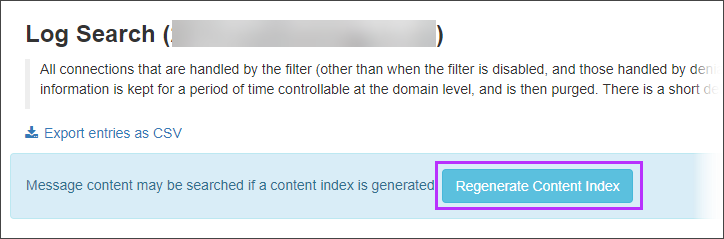
The index is regenerated and any messages archived since the last time the index was generated are added to the index - allowing you to search all archived message content for that domain.